

Web Feedback Process Lacks an Optimal Tool
Revool is a specialized tool for managing design revision tasks for websites and landing pages, solving such challenges.


Chat Tool
- Important tasks get lost in the flow
- Missed follow-ups are likely
- Unable to check a list of tasks
Spreadsheet Tool
- Hard to identify revisions in task sheets
- Pasted images are difficult to search and sort
Presentation Tool
- Tasks cannot be checked in a list
- Difficult to manage task statuses
Design Tool
- Poor overview of comments
- Only "resolved" status is available
- Cannot manage tasks by assignee
Project Management Tool
- Difficult to manage detailed revision tasks
- Not optimized for capture images and revision instructions
PDF & Print
- No comment overview, easy to miss
- Handwritten comments are hard to read
- Missed follow-ups are likely
What Revool offers
Revool offers innovative web design feedback and project management functions that you have never experienced before.

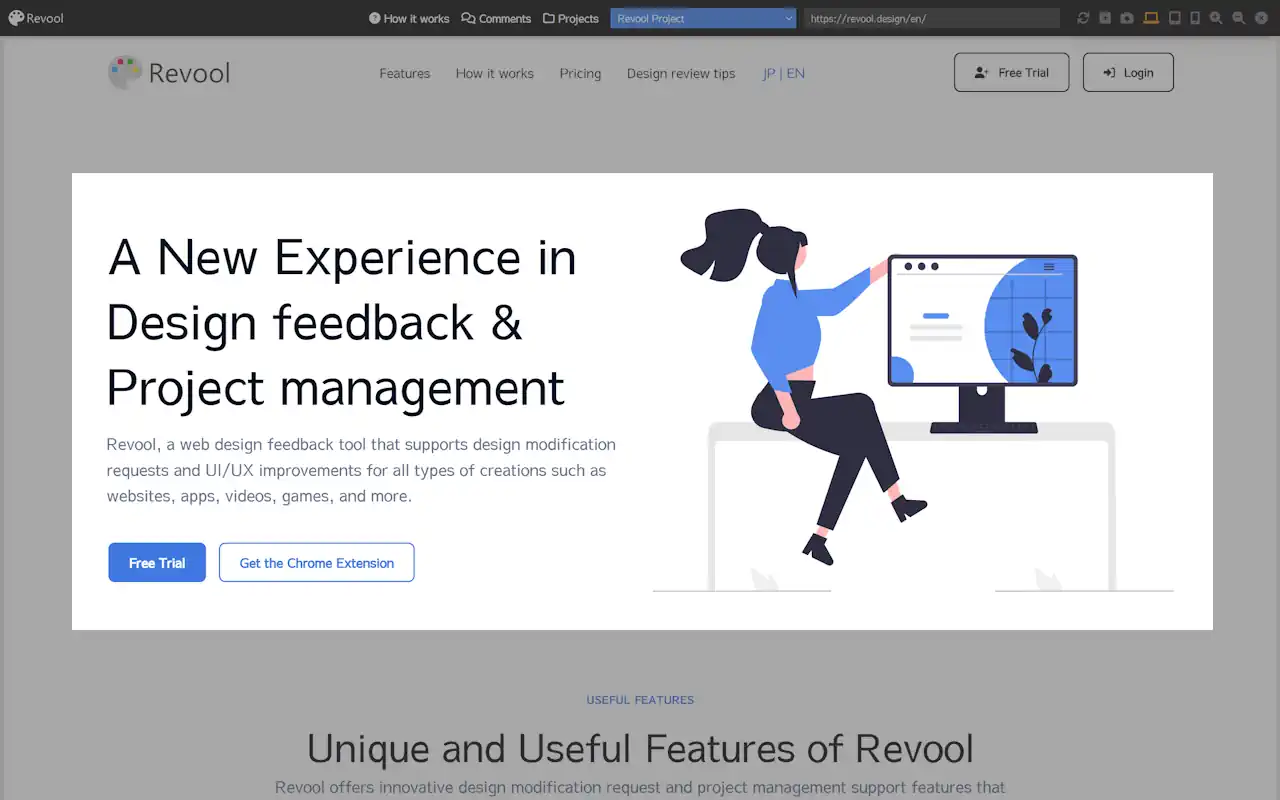
Live Review Mode
Utilize the Live Review Mode that can load the actual web contents. Effortlessly review dynamic websites and web apps, or more.

Review Canvas
Offers a unique modal with features that help you in the web design feedback process. Automatically loads screen captures.

Task Management
Manage tasks by tracking the progress with task statuses, and prevent oversight with detailed search filters.
Load live websites as they look with LIVE review mode
-
Activate the Live review mode with our Chrome extension. The page navigating is as smooth as normal browsing, allowing for efficient feedbacks.
-
Switch between PC, tablet, and mobile views with a single click. The posted tasks are automatically tagged by device.
-
Review dynamic effects on mouse hover, scroll, and even animation. Review everything displayed on the screen, not just web content.
Review YouTube and On-site Videos Smoothly
-
Automatically detect video areas on YouTube or any browser page and capture with one click. Start reviewing smoothly without manual area selection every time.
-
Supports timeline display to check tasks based on "playback time" rather than posting order. Enables efficient revision checks following the video flow.
-
Hover over timestamps to see thumbnails of the corresponding scenes. Intuitively understand which moment is being pointed out and eliminate misunderstandings.

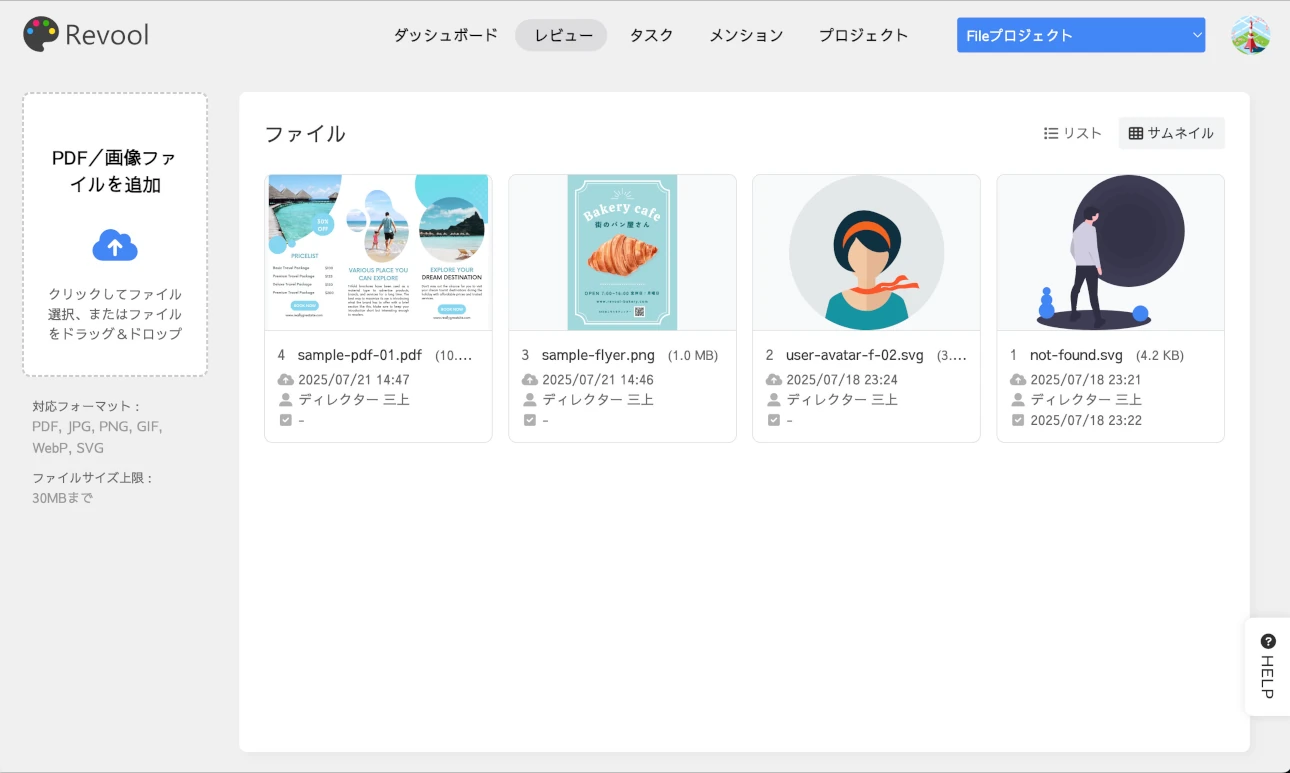
Review PDFs and Creative Images Smartly
-
Supports PDFs for print data and presentation materials, as well as major image formats (JPG, PNG, GIF, SVG, WEBP) used in web production.
-
Equipped with dedicated viewers specialized for creative proofing, featuring PDF page switching, zooming, and image background color toggling.
-
Capture revision points and post instructional comments. Dramatically streamline production progress through sharing and status management among project members.
Say good-bye to missed deadlines with review tasks
-
Posted tasks are easy to check in the table view and easy-to-read in the content view to avoid missing any details.
-
Assign "Unset" status tasks to members and mark them as "In Progress," while web directors can check tasks marked as "In Review" and move them all to "Done" finally.
-
Powerful search features for statuses, deadlines, design/code, attention, priority labels, comment, and more ensure that no important tasks are overdue.
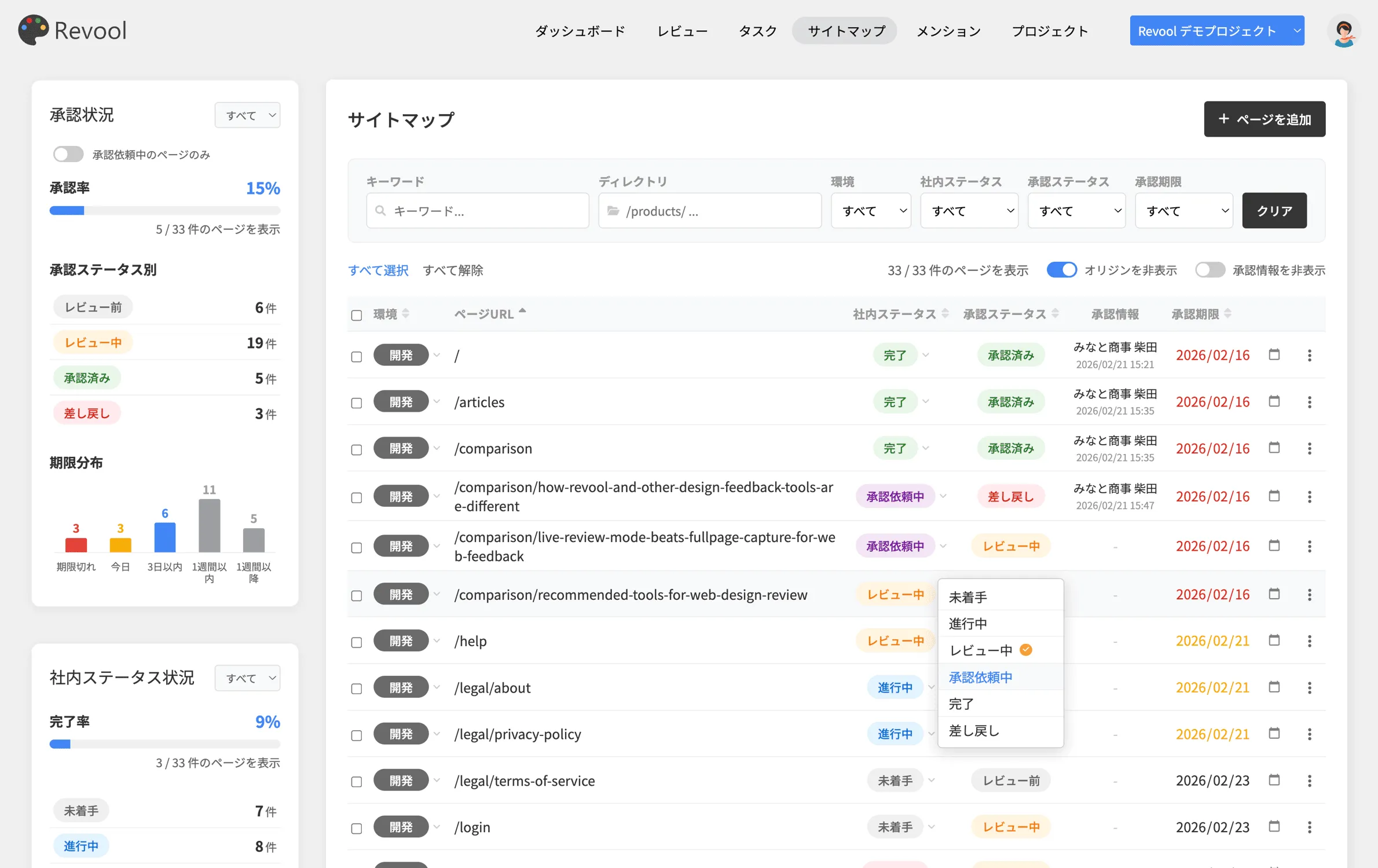
Sitemap and Page Approval, All-in-One Management
-
Register all project pages as a sitemap. Synchronize production progress and client approval in real-time to prevent information fragmentation.
-
With "LIVE Approval Review Mode" linked to the browser extension, you can approve or return pages directly while viewing the actual site.
-
Equipped with a "Guest Approver" function that requires no account. Busy decision-makers can join reviews immediately with a secure approval key.
Revool Chrome/Edge Extension
Ideal for design reviews, from screen capture, comment drawing, task posting to mention notifications.
Screen Capture of Review Points
Access the page just like normal web browsing, easily capture with proprietary tools, and start reviewing immediately.
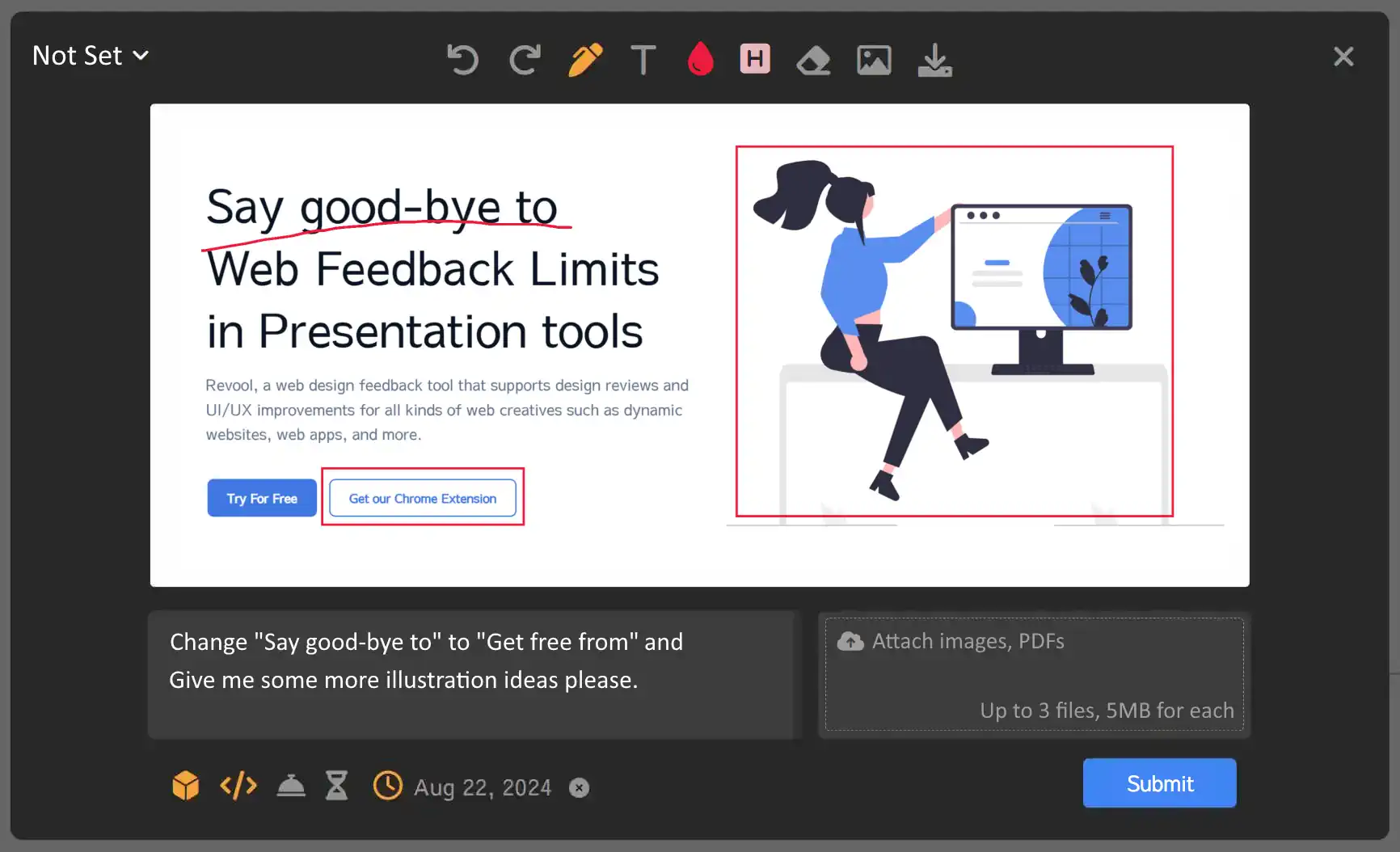
Post Tasks on Canvas
Add comments and revision instructions to captures, post tasks for each project, and share immediately with members.
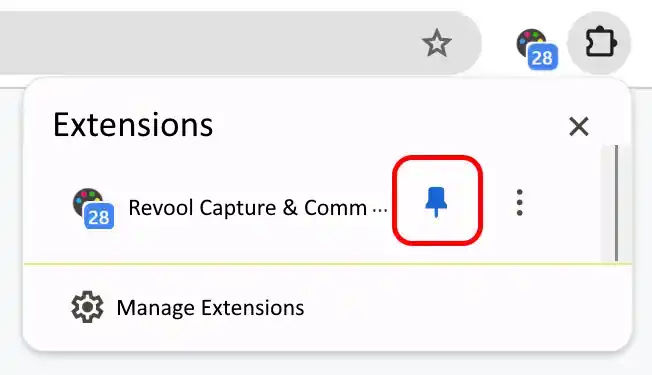
Display Mentions with Badge
Check the unread count without opening the app screen, ideal for new assignments or urgent messages. Ensures smooth communication.
Intuitive Project Dashboard
Create and manage projects for each assignment, add review pages, and track task progress by project and page respectively.
Project Owners Oversee Everything
Paid plan users have project owner privileges, able to create projects, invite members, security settings and more.
Free Users Are Valued Members
Free plan users can join projects invited by paid plan users, add new pages, post and edit comments, and manage task statuses.
Auto storing of Review Page URLs
When you load a page and post tasks, the review page URL is automatically stored in the project. No need to add pages in advance one by one.
Auto Switching of Review Page URLs
Switching pages via web page links will also automatically record the page URL after page transition to realize the smooth reviews.
Review Everything on the Screen
With Revool, you can review any content that appears on your screen and take screenshots. Its flexibility is just amazing.
Detailed Task Status
Six-step status system that is practical for web development. Not Set, Checking, In Progress, In Review, Returned, and Done.
Assigning Task Responsibilities
You can assign project members for each task to prevent missed assignments and allows for task load balancing among each assignee.
Attaching Files to Tasks
You can attach images, PDFs, and ZIP files to tasks, which is useful for providing replacement instructions.
Intuitive UI/UX Design
Revool's interface is designed based on tools that users are familiar with. With a UI similar to email, browsers, and file explorers, it is easy to use even for the first time.
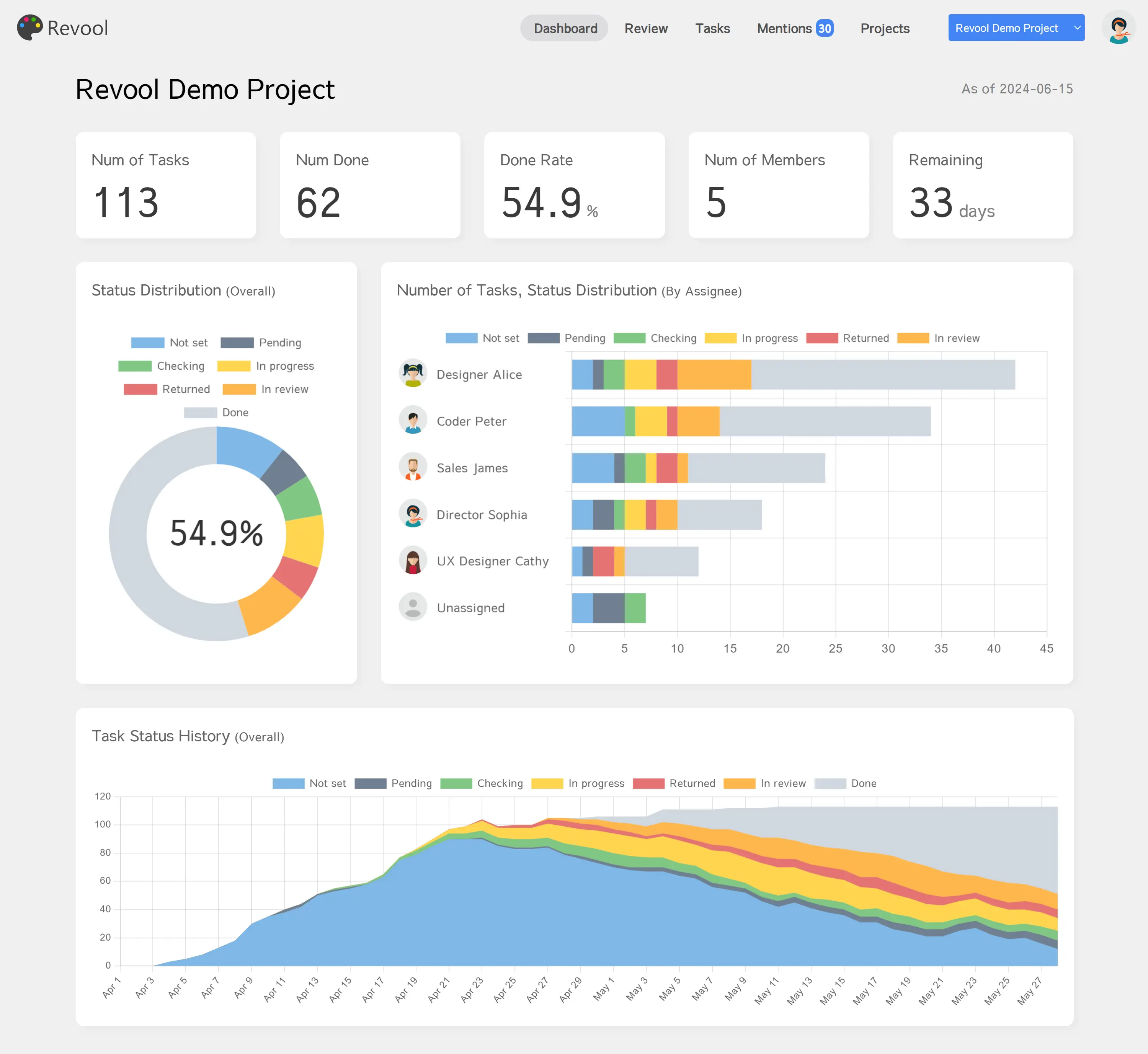
Dashboard providing an at-a-glance view of total tasks, completion rates, member task counts, and overall progress.
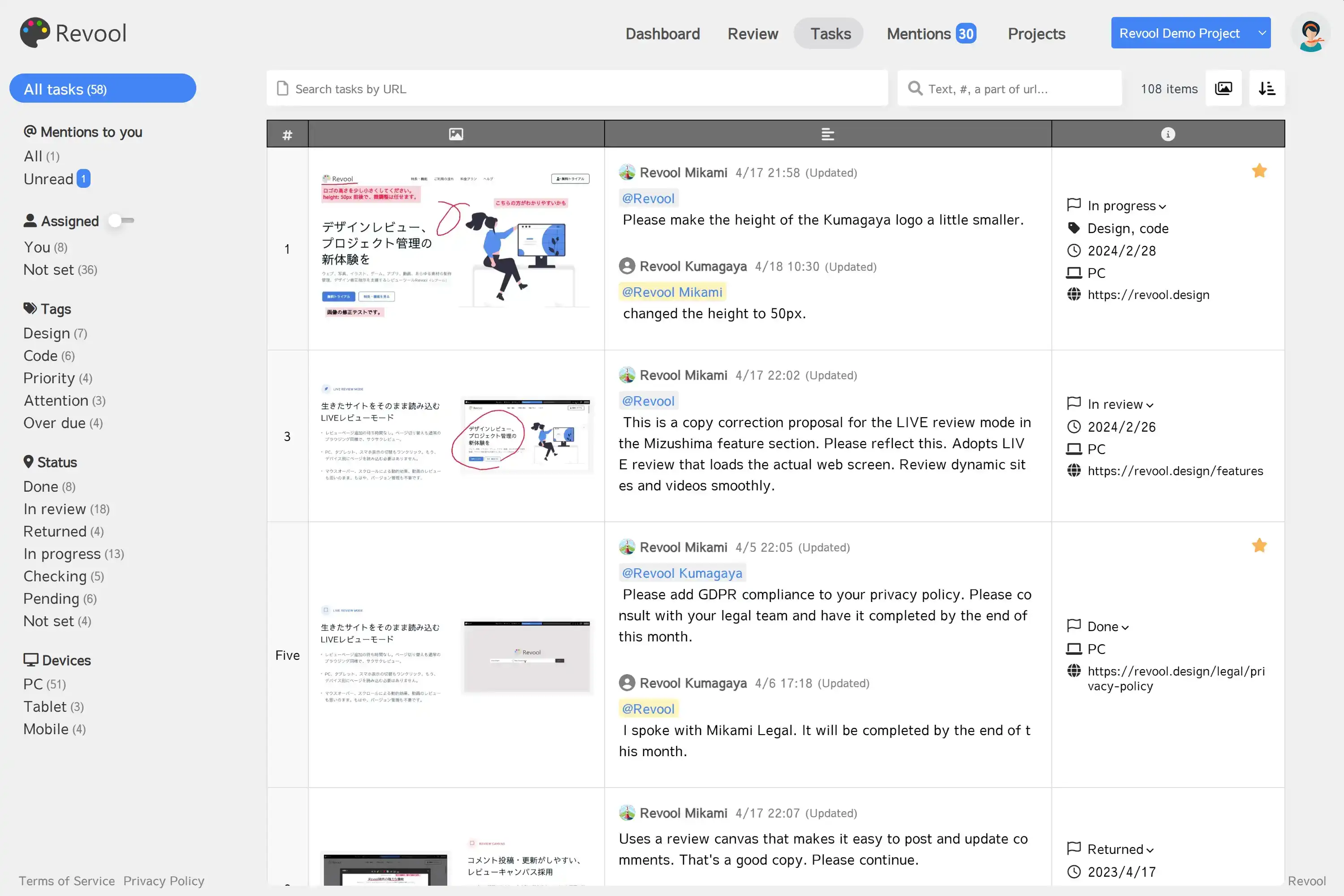
Task Table for centralized management of task verification, search, member messaging, and status updates.
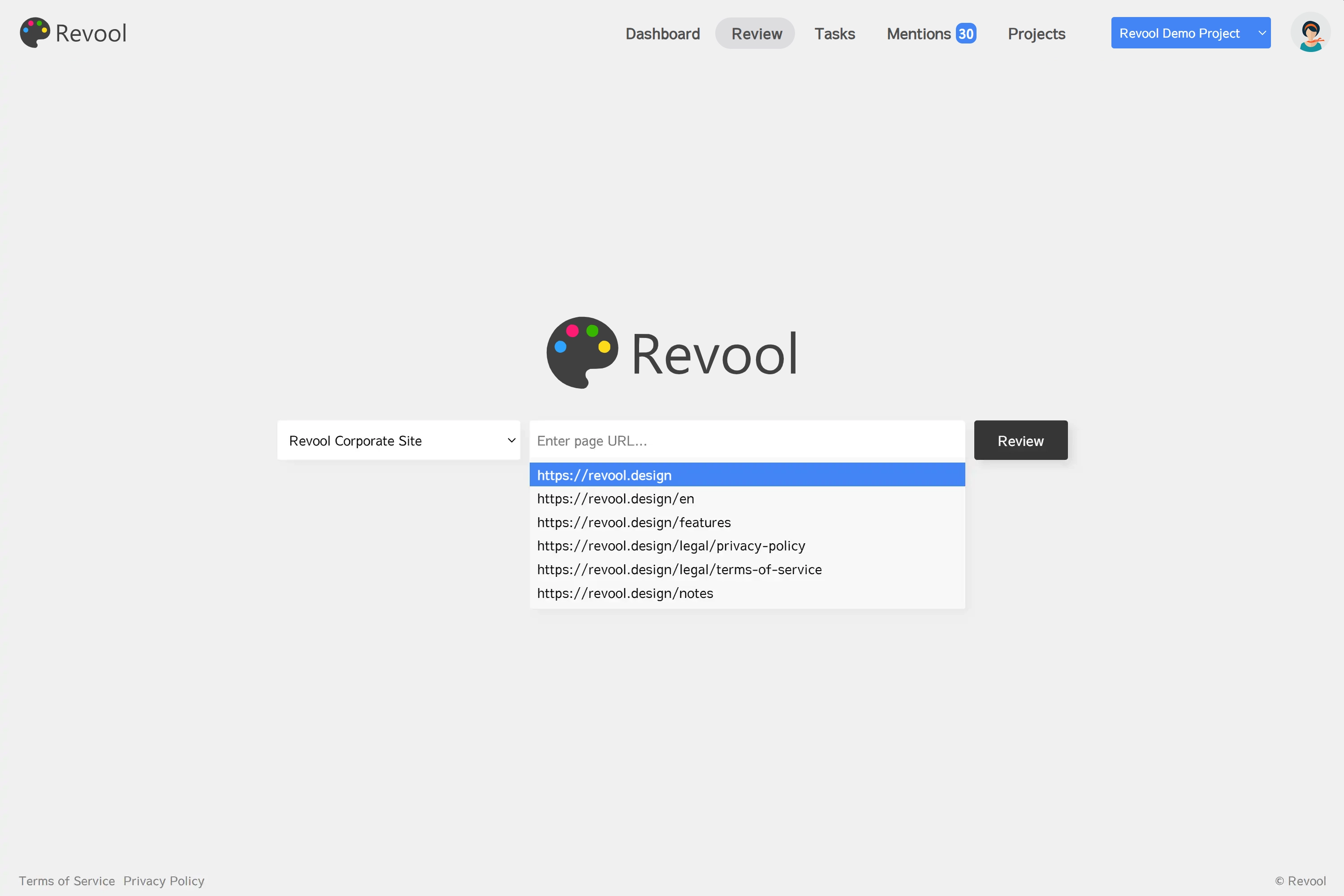
Review Page listing task counts and completion rates for web pages, files, and videos.
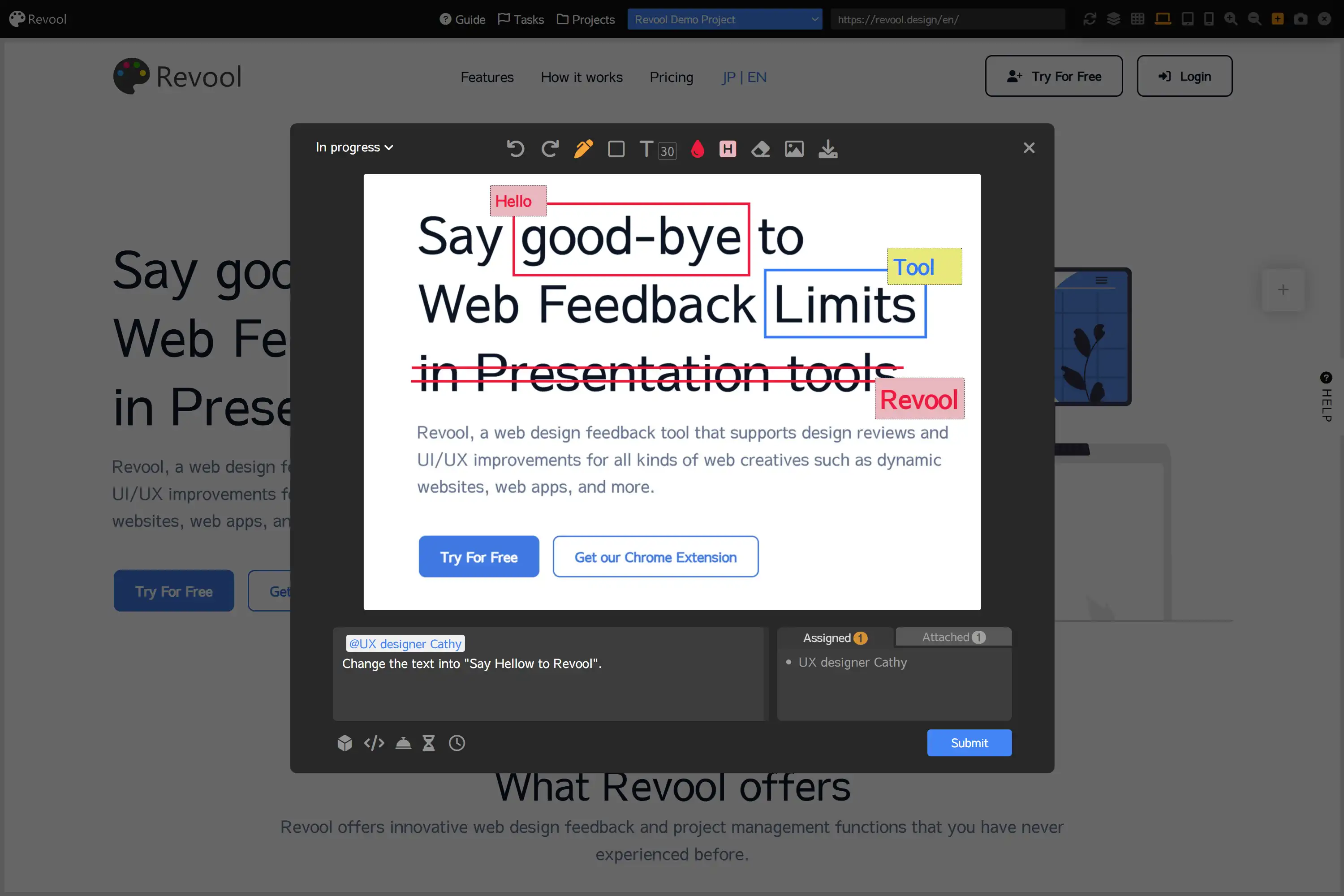
Review Canvas that automatically loads captures and allows you to post revision instruction tasks.
Sitemap Page for centralized management of page lists and approval statuses.

LIVE Approval Review Mode via Chrome/Edge extension for approving or returning pages while viewing them.
Voices of Revool Users
Here are some voices from users who actually use Revool.
Other tools often encountered problems when actually used, such as difficulties in task management.
That's when I found Revool. It has everything both the instructors and recipients need! It is the easiest tool to use so far.

Web Production Company
Planning & DirectorThe intuitive UI makes it easy to see task priorities and progress, and capturing and giving correction instructions is surprisingly easy.
The stress of managing corrections with Excel is gone, and communication with internal teams and production companies has become smoother.
Medical Corporation
Public Relations & IRYou can load the site as it is, switch devices with one click, there's never been a tool like this before. I wonder why it didn't exist until now.
All designers struggling with design feedback should give it a try.
Design Production Company
Web DesignerThis design review tool is definitely what the production site needs. I feel new possibilities.
I want production companies struggling with the design correction process to try it at least once.
App Development Company
EngineerUsing Revool in 3 Simple Steps
Revool is designed to be intuitive and user-friendly, even for those who are not tech-savvy.
-
1
Create a Project and Invite Members
Creating a project is done just by setting a project name. Invite members by adding their email addresses.
Users with Revool accounts can immediately join the project, while those without accounts will be invited to register.
Users can register with Google accounts or by their email addresses and passwords.


-
2
Members Post Tasks, Share, Update Status
Review web content by entering the URL from the review page and automatically add tasks.
All tasks can be viewed in a table. Posted tasks can be edited, and statuses can be updated from "In review" to "Done".
Revool includes powerful search and filter features. Directors, designers, coders, clients, and others can efficiently review the tasks needed for their respective roles.


-
3
Owners Manage Task Progress and Complete Projects
You can check the task progress rate (completed tasks/total tasks) for the entire project or page by page.
Owners can monitor the progress of all pages in the project and inform members of any tasks that are delayed.
Urgent tasks can be prioritized based on deadline settings and priority flags.
Complete all tasks by the deadline to finish the project.


Plans
To use Revool as a team, you need at least one paid plan user.
Free plan
This plan allows you to participate in invited projects and create, view, and update tasks.
- Participate in projects(invitation by paid plan users required.)
- Add review pages
- Create and share tasks
- Update tasks
- Post, edit comments
Pro plan
This plan grants project owner privileges such as creating projects, inviting members, and more.
- Create new projects and invite members
- Delete projects
- Free user invitations for one project (up to 4 users)
- Save project images (high quality)
- Save project images for one year
Premium plan
This plan enhances security and team usability with features like unlimited member invitations.
- IP address restrictions for projects
- Delete, archive, and restore projects
- Free user invitations for one project (unlimited)
- Save project images (highest quality)
- Save project images for five years
After the Pro Plan trial ends, you will automatically switch to the free Free Plan. You can subscribe Premium Plan after creating an account.
Latest Articles
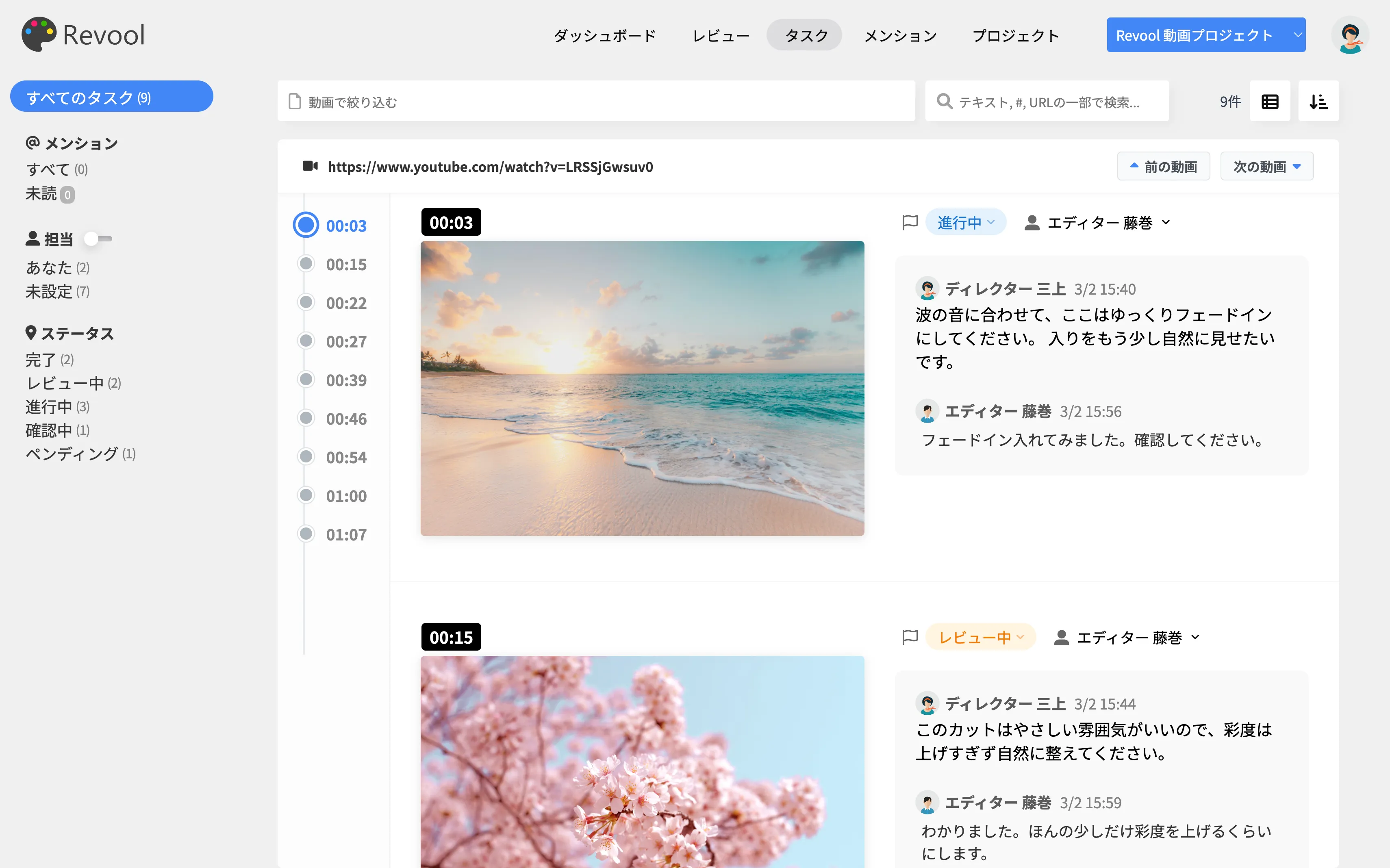
【アップデート】Revoolで、YouTubeやサイト内の動画レビューが簡単に✨
新しい「動画タイプ」のプロジェクト、動画レビューモード、タイムライン表示など、動画レビューをさら...
【アップデートのお知らせ】サイトマップ管理、制作ページの承認機能をリリース✨
今回リリースしたのは、Revool内で、サイトマップとページ承認を一元的に管理できる機能です。ウェブ制...

【アップデートのお知らせ】透過レイヤーモード、グリッド・ガイド表示機能
直近のアップデート情報 いつもRevoolをご利用くださり、ありがとうございます。 直近でのアップデート...


